
Download ChemEquate – Free Chemical Equation Balancer for Windows, Mac & Word
Balancing chemical equations can be a tedious chore, especially when you’re racing against a deadline or trying to explain a concept to a class. ChemEquate steps in as a specialized Word add‑in that turns this headache into a smooth, almost automatic process. Whether you’re a high‑school student, a university researcher, or a chemistry teacher, this tool lets you type, check, and format reactions without leaving the familiar Microsoft Office environment. Its intuitive syntax, built‑in molecular‑weight calculator, and one‑click balancing engine make it a genuine “godsend” for anyone who struggles with the math of chemistry. In the sections that follow, we’ll dive deep into what makes ChemEquate tick, how to get it up and running, which platforms it supports, and why it deserves a spot in your scientific toolkit.
Overview – Why ChemEquate Stands Out in the Crowd
ChemEquate is more than just a plug‑in; it’s a dedicated chemical‑equation workstation that lives inside Microsoft Word. The core value proposition lies in its ability to format equations automatically while ensuring they are perfectly balanced. Users can either write a reaction from scratch using a simple, case‑sensitive syntax or paste an existing equation to have ChemEquate verify its balance in seconds. The tool also supplies molecular weights for each compound, allowing quick stoichiometric calculations without the need for external calculators.
One of the most compelling aspects of ChemEquate is its focus on accessibility. The learning curve is deliberately shallow—no advanced chemistry knowledge is required to start producing professional‑looking equations. The built‑in help menu offers clear explanations of shortcuts, special symbols (such as the reversible reaction arrow ↔), and proper electron formatting, ensuring that even beginners can avoid common syntax errors. The software also remembers your most frequently used compounds, letting you insert them with a single keystroke, which speeds up repetitive lab‑report writing.
Beyond the classroom, ChemEquate’s export function preserves the exact formatting when moving equations to other applications like PowerPoint, LaTeX, or PDF generators. This guarantees that the visual integrity of your work remains intact, a feature that many competing tools overlook. In short, ChemEquate combines the power of an equation balancer with the convenience of a Word add‑in, making it an essential ally for anyone whose daily routine revolves around chemistry.
Key Features – What ChemEquate Brings to Your Desk
- One‑Click Balancing: Instantly checks and corrects the stoichiometry of any entered reaction.
- Automatic Formatting: Generates clean, professional‑grade equations with proper subscripts, superscripts, and arrows.
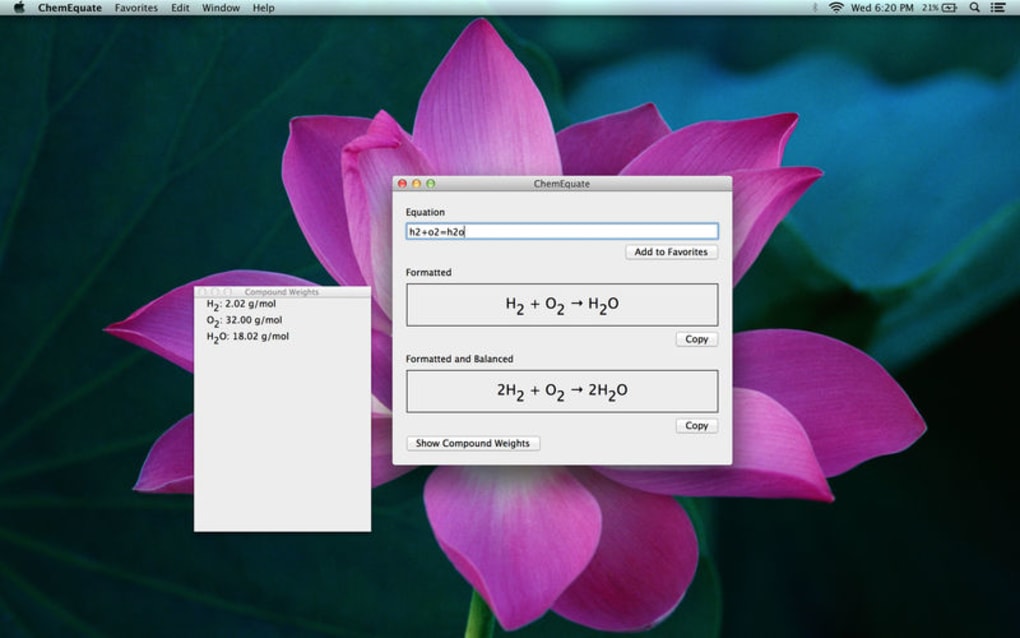
- Molecular‑Weight Calculator: Displays real‑time molecular masses for each compound, aiding quick calculations.
- Keyboard Shortcuts: Fast‑track entry of elements, electrons, and reversible reaction signs via customizable shortcuts.
- Export & Save Options: Preserve formatting when exporting to other Office apps or saving equations for future reuse.
- Help Menu & Syntax Guide: Built‑in documentation clarifies input rules, case sensitivity, and special symbols.
- Compatibility with Word 2016‑2021 & Office 365: Seamlessly integrates without breaking existing templates.
- Cross‑Platform Support: Available for both Windows and macOS versions of Microsoft Word.
Each of these features is designed to shave minutes off the time you’d otherwise spend manually checking atom counts or fiddling with formatting. For instance, the automatic formatting engine understands when to place electrons on the correct side of the reaction arrow, a nuance that often trips up novices. The molecular‑weight calculator not only reports the weight but also updates it dynamically as you edit the formula, making it perfect for on‑the‑fly stoichiometry checks during lab report drafting.
The shortcut system deserves special mention. By default, typing “e” followed by the element symbol automatically inserts the appropriate subscript, while “+e” adds an electron. These shortcuts can be customized in the settings panel, allowing power users to tailor the workflow to their personal preferences. Moreover, the reversible reaction sign (↔) can be inserted with a single keystroke, eliminating the need to hunt through symbol menus.
Finally, the export functionality retains the exact visual layout when you copy an equation into PowerPoint slides or embed it in a PDF. This means you can produce polished presentations and printable reports without re‑formatting each equation manually—a true time‑saver for teachers preparing lecture material or researchers compiling journal submissions.
Installation, Usage & Compatibility – Getting ChemEquate Up and Running
Installing ChemEquate is straightforward and takes only a few minutes. Begin by downloading the installer from the official website—choose the version that matches your operating system (Windows or macOS). The installer is digitally signed, ensuring a secure download free from malware. After the download completes, run the .exe (Windows) or .pkg (macOS) file and follow the on‑screen prompts. The installer automatically detects your installed version of Microsoft Word and registers ChemEquate as an add‑in, which will appear under the “Add‑Ins” tab once Word restarts.
After installation, launch Microsoft Word and locate the “ChemEquate” ribbon. The first time you open the panel, you’ll be prompted to accept a brief usage agreement and optionally import a set of default compounds. This step is optional; you can also start with a clean slate and add compounds as you need them.
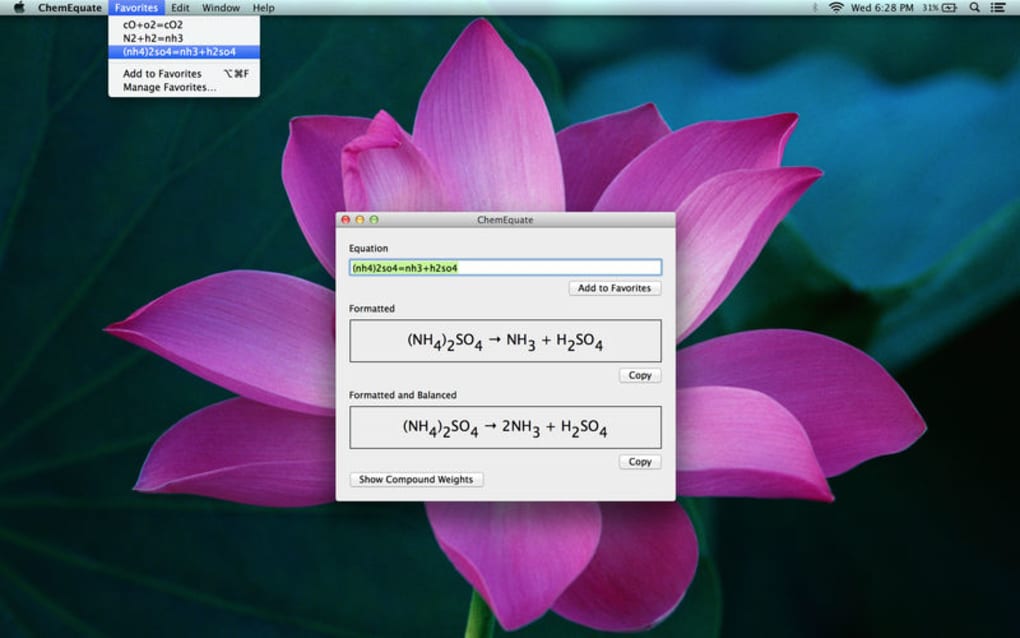
The interface consists of three main panes: the equation editor, the molecular‑weight viewer, and the shortcut guide. To write a new reaction, simply click into the editor and type using the supported syntax (e.g., “2H2 + O2 → 2H2O”). As you type, ChemEquate highlights any syntax errors in real time, such as mismatched case or missing subscripts.
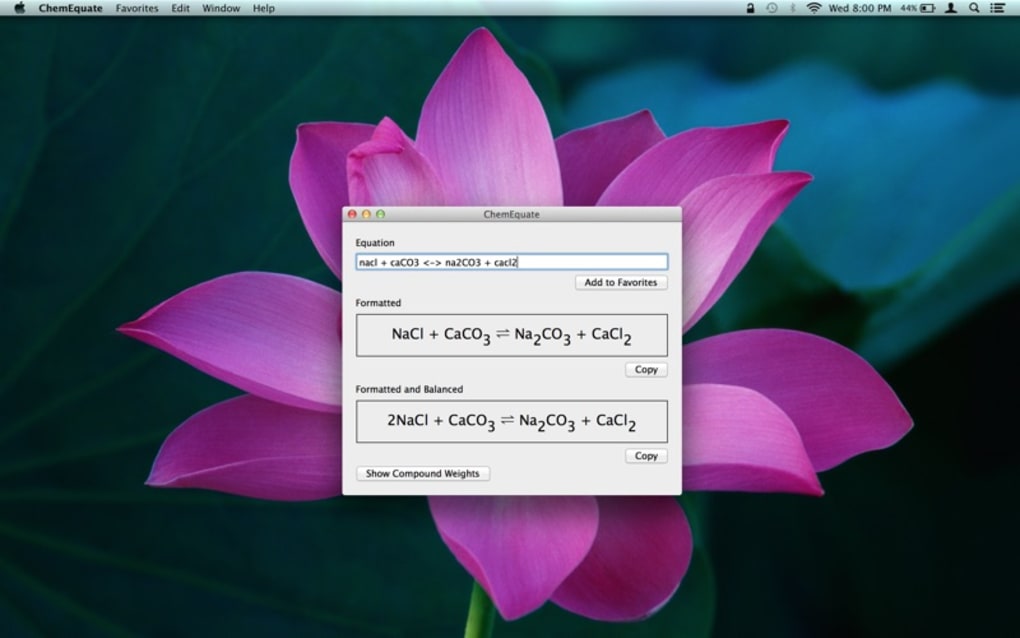
Balancing an equation is as easy as pressing the “Balance” button or using the Ctrl + B shortcut. ChemEquate instantly recalculates coefficients, updates the visual layout, and shows a green checkmark if the equation is balanced. If the equation cannot be balanced (for example, due to missing reactants), the tool provides a helpful error message indicating which elements are unbalanced, allowing you to adjust the formula accordingly.
Regarding compatibility, ChemEquate supports the following operating systems and Word versions:
- Windows 10, 11 (64‑bit) – Works with Word 2016, 2019, 2021, and Microsoft 365.
- macOS 10.15 Catalina and later – Compatible with Word for Mac 2016, 2019, 2021, and Microsoft 365.
The add‑in is optimized for both 64‑bit and 32‑bit Office installations, though the 64‑bit version is recommended for best performance. System requirements are modest: a minimum of 2 GB RAM and 200 MB of free disk space. Because ChemEquate runs as a lightweight Word add‑in, it consumes negligible CPU resources, even when processing complex reactions with dozens of compounds.
For advanced users, ChemEquate offers a settings dialog where you can customize shortcut keys, change the default number of decimal places for molecular‑weight display, and enable automatic saving of frequently used equations to a personal library. This library can be exported as a JSON file, making it easy to share custom compound lists with colleagues or import them on a different machine.
Pros and Cons – A Balanced Look at ChemEquate
- Pros
- Instant, accurate balancing saves time.
- Seamless integration with Microsoft Word eliminates the need for external editors.
- Intuitive syntax and comprehensive shortcut guide reduce the learning curve.
- Real‑time molecular‑weight calculations aid quick stoichiometric analysis.
- Export preserves formatting across Office applications.
- Cross‑platform support for both Windows and macOS.
- Secure, digitally signed installer ensures a safe download.
- Cons
- Only works within Microsoft Word; no standalone desktop version.
- Advanced reaction types (e.g., kinetic modeling) are outside its scope.
- Customization of UI themes is limited.
- Requires a recent version of Word; older Office editions are not supported.
Conclusion, FAQ & Call to Action
In the fast‑paced world of chemistry education and research, tools that streamline routine tasks are priceless. ChemEquate delivers exactly that: a secure, free, and easy‑to‑install Word add‑in that balances equations, formats them beautifully, and supplies molecular‑weight data on demand. Its thoughtful design—complete with keyboard shortcuts, a robust help system, and cross‑platform compatibility—means you can focus on the chemistry rather than the mechanics of equation writing.
If you’ve ever spent valuable minutes double‑checking atom counts or wrestling with subscripts, ChemEquate is the antidote. Its one‑click balancing feature alone can shave hours off a semester‑long lab report workload, while the export function ensures your equations look pristine in presentations and publications. While it does not replace specialized computational chemistry packages, it fills a niche that many educators and lab technicians have long needed.
Ready to give your chemistry workflow a boost? Download ChemEquate now from the official site, install it in seconds, and start creating perfectly balanced equations today. Whether you’re drafting a high‑school lab report, preparing a university lecture, or polishing a research manuscript, ChemEquate will make the process smoother, faster, and more accurate.
Frequently Asked Questions
Is ChemEquate really free?
Yes, ChemEquate is offered as a completely free download. There are no hidden fees or subscription charges. You can use all core features—including balancing, formatting, and molecular‑weight calculations—without any cost.
Can I use ChemEquate with older versions of Microsoft Word?
ChemEquate supports Word 2016, 2019, 2021, and Microsoft 365 on both Windows and macOS. Versions older than Word 2016 are not officially supported, as they lack the necessary add‑in infrastructure.
Does ChemEquate work on Linux or mobile platforms?
Currently, ChemEquate is a Microsoft Word add‑in, so it only runs on the desktop versions of Word for Windows and macOS. It is not available for Linux or mobile Office apps at this time.
How secure is the ChemEquate installer?
The installer is digitally signed by the developer, and the download is served over HTTPS. This ensures that the file has not been tampered with and protects you from malware.
Can I export my balanced equations to LaTeX?
While ChemEquate does not generate native LaTeX code, you can copy the formatted equation and paste it into a LaTeX editor; the formatting is retained as Unicode characters, which most modern LaTeX packages can interpret correctly.







